Changelog
What's new with Unscripted?
Curious about our track record for updating the app? How did Unscripted evolve over time?
v 1.3
May 23, 2026
Pronunciation Cues and new 7-Day Free Trial

What's New
Pronunciation Cues - Get extra help delivering speeches in English and Chinese. Pronunciation Cues make difficult words easier to read and speak, especially when presenting in a foreign language.
7-Day Free Trial - Try Unscripted before committing. Use it in real presentations, meetings, interviews or recordings, and see if it fits your workflow.
Guided Onboarding - New users now get a quick tour through the core features, from writing a script to customizing the prompter and using shortcuts.
UX & UI Enhancements - We made several small improvements across the app to make Unscripted feel smoother, clearer and easier to
v 1.2.2
Apr 28, 2026
Blocks and UX improvements

What's New
Flexible Blocks - Your scripts and sticky notes are now organized into draggable blocks. Rearrange paragraphs and ideas with a simple drag to keep your narrative tidy.
Arrow-Key Navigation - Move through your scripts and memos using the 1 and v keys. Stay in the zone without taking your hands off the keyboard.
Quick Delete & Duplicate - Delete scripts or memos with the Delete key, and duplicate a script when you need a new version.
Resizable Notes - Resize sticky notes diagonally to capture as much (or as little) as you need. Pick from improved colors to keep things clear.
v 1.1
Apr 23, 2026
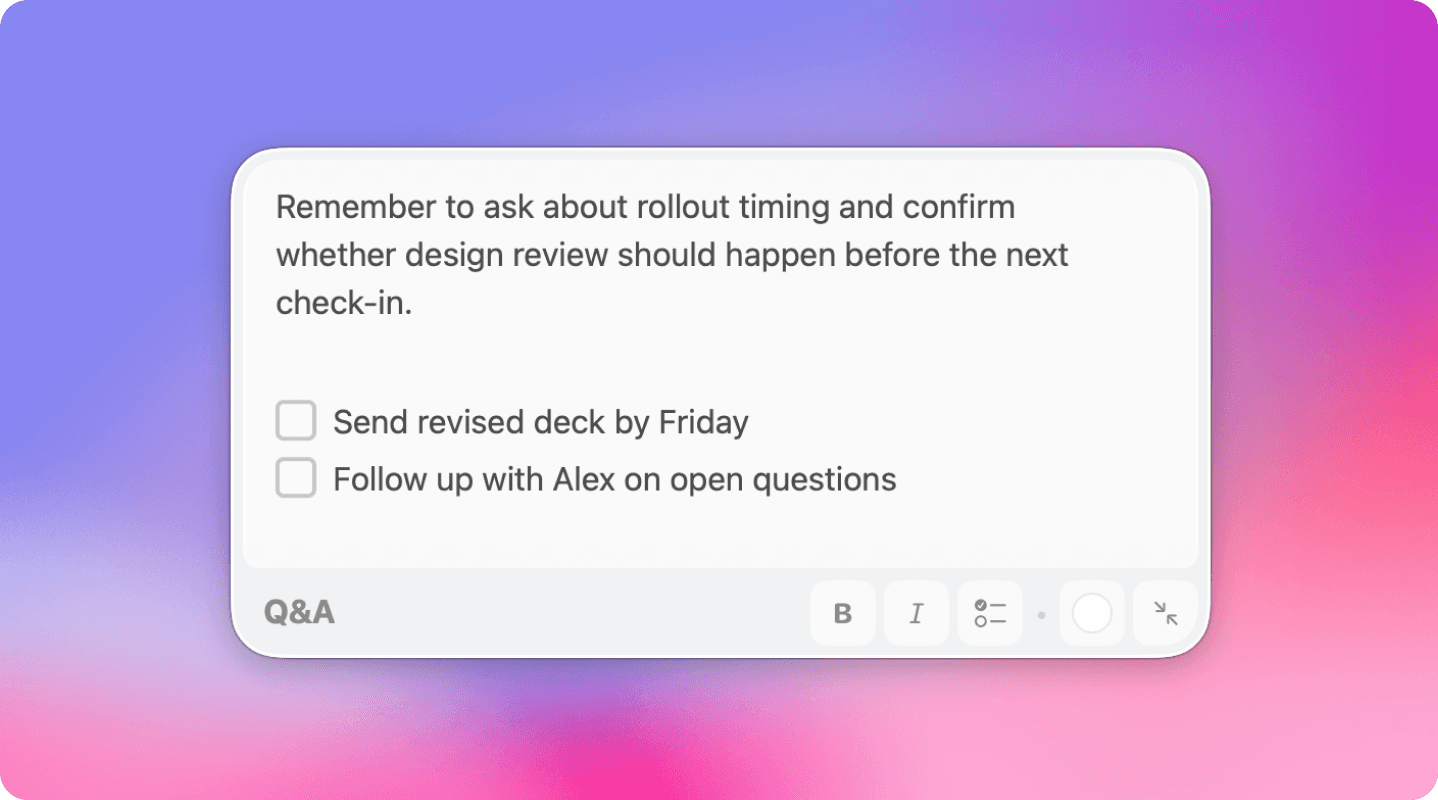
Introducing Memos & Tasks
What's New
MEMOS & TASKS
Crate beautiful memos for Q&A, reminders or to-do lists
Attach notes to scripts so they appear at the right moment
Memos and tasks are invisible to your audience
v 1.0
Apr 20, 2026
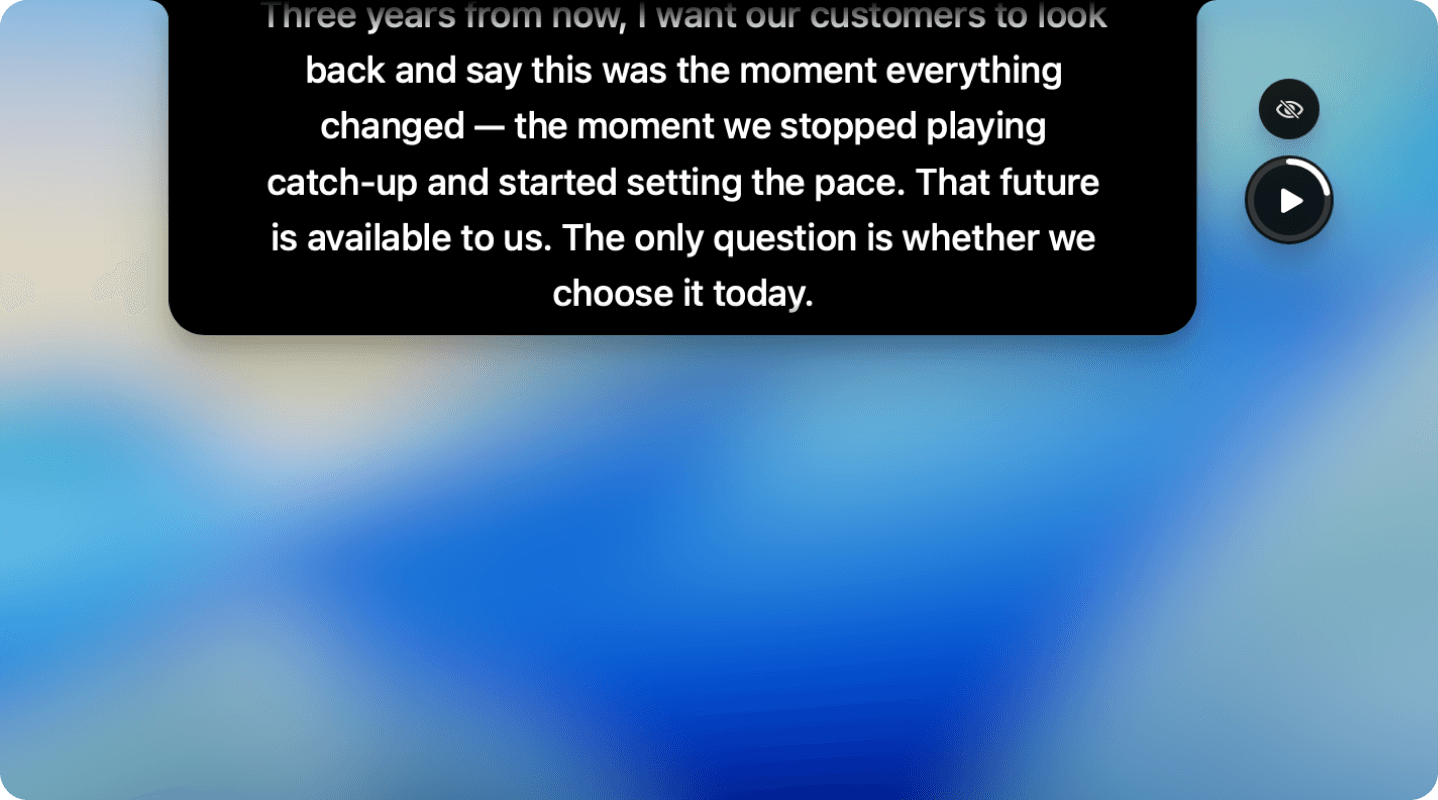
Unscripted official launch
What's New
Unscripted helps you stay confident on camera, in presentations, and during interviews — without memorizing a single line.
Whether you’re presenting at an All Hands, recording a video, or introducing yourself in a job interview, Unscripted keeps your words right where you need them.
MAKE IT YOURS
Adjust typaface, font size and color
Line height
Speed
DESIGNED FOR FLOW
Control with customizable shortcuts
Smart pauses for natural breaks
Speak clearly, even in another language
INVISIBLE TO EVERYONE ELSE
Runs as a floating overlay on your Mac, visible only to you.
Use it with Zoom, Meet, or any recording tool. Your audience sees you. You see everything.
WORKS ANYWHERE
Works on MacBook Pros, Air and Neo
Works on iMac and external monitors: you can drag the notch to be located right under your webcam
BUILT WITH PRIVACY IN MIND
No analytics tracking your usage of the app
All your data and scripts live on your computer
v 1.3
May 23, 2026
Pronunciation Cues and new 7-Day Free Trial
What's New
Pronunciation Cues - Get extra help delivering speeches in English and Chinese. Pronunciation Cues make difficult words easier to read and speak, especially when presenting in a foreign language.
7-Day Free Trial - Try Unscripted before committing. Use it in real presentations, meetings, interviews or recordings, and see if it fits your workflow.
Guided Onboarding - New users now get a quick tour through the core features, from writing a script to customizing the prompter and using shortcuts.
UX & UI Enhancements - We made several small improvements across the app to make Unscripted feel smoother, clearer and easier to
v 1.2.2
Apr 28, 2026
Blocks and UX improvements
What's New
Flexible Blocks - Your scripts and sticky notes are now organized into draggable blocks. Rearrange paragraphs and ideas with a simple drag to keep your narrative tidy.
Arrow-Key Navigation - Move through your scripts and memos using the 1 and v keys. Stay in the zone without taking your hands off the keyboard.
Quick Delete & Duplicate - Delete scripts or memos with the Delete key, and duplicate a script when you need a new version.
Resizable Notes - Resize sticky notes diagonally to capture as much (or as little) as you need. Pick from improved colors to keep things clear.
v 1.1
Apr 23, 2026
Introducing Memos & Tasks
What's New
MEMOS & TASKS
Crate beautiful memos for Q&A, reminders or to-do lists
Attach notes to scripts so they appear at the right moment
Memos and tasks are invisible to your audience
v 1.0
Apr 20, 2026
Unscripted official launch
What's New
Unscripted helps you stay confident on camera, in presentations, and during interviews — without memorizing a single line.
Whether you’re presenting at an All Hands, recording a video, or introducing yourself in a job interview, Unscripted keeps your words right where you need them.
MAKE IT YOURS
Adjust typaface, font size and color
Line height
Speed
DESIGNED FOR FLOW
Control with customizable shortcuts
Smart pauses for natural breaks
Speak clearly, even in another language
INVISIBLE TO EVERYONE ELSE
Runs as a floating overlay on your Mac, visible only to you.
Use it with Zoom, Meet, or any recording tool. Your audience sees you. You see everything.
WORKS ANYWHERE
Works on MacBook Pros, Air and Neo
Works on iMac and external monitors: you can drag the notch to be located right under your webcam
BUILT WITH PRIVACY IN MIND
No analytics tracking your usage of the app
All your data and scripts live on your computer
FAQs
Everything you need to know!
Everything you need to know!
Can I try Unscripted for free?
Will I get future updates?