
Guillaume Delmarre
Apr 11, 2026
4 min
How to Write a Script That Doesn’t Sound Like a Script

Most scripts sound like scripts for a simple reason: they’re written to be read, not to be spoken. On the page, they look clean and well-structured. Sentences are complete, transitions are polished, and everything feels coherent. But when you try to say those same words out loud, the delivery becomes tighter, flatter, and less natural than expected.
This isn’t a performance issue. It’s a writing issue. The constraints of speaking—breathing, pacing, real-time processing—are completely different from those of reading. If your script doesn’t account for that, it will always feel slightly off, no matter how much you rehearse.
Writing for the eye vs writing for the voice
Most people write scripts the same way they would write an email or a document. The goal is clarity on the page, which often leads to longer sentences, precise wording, and consistent structure. That works well for reading, where the audience can go back, pause, or reprocess information.
Speech doesn’t work that way. Your audience hears each sentence once, in real time, while also paying attention to your tone and delivery. That naturally favors shorter phrases, clearer rhythm, and a bit more redundancy. Spoken language is usually less polished, but easier to follow.
Start from speech, not from text
One of the most effective ways to write a natural-sounding script is to start by speaking. Instead of drafting everything silently, talk through your ideas first, even if it’s rough. A quick voice recording is often enough.
When you turn that into a script, you’ll notice that the phrasing is already more natural. Sentences tend to be shorter, transitions feel more conversational, and emphasis is clearer. You’re no longer trying to imagine how something should sound—you’re refining something that already works when spoken.
Shorten sentences more than you think
A common issue in scripts is sentence length. What feels reasonable when reading often becomes difficult to deliver in one breath. This is usually where pacing problems begin.
A useful habit is to break sentences earlier than feels necessary, especially when introducing a new idea or adding detail. The goal isn’t to simplify the content, but to make it easier to deliver and easier to follow. If you find yourself rushing or running out of breath during rehearsal, the structure of the sentence is usually the first thing to revisit.
Write the rhythm into the script
Good spoken delivery relies on rhythm, but rhythm doesn’t appear automatically in written text. You need to make it visible.
This often means adding line breaks, spacing, or short standalone phrases that act as natural pauses. On the page, the script may look less “polished,” but it becomes much easier to deliver. You’re not guessing where to slow down or pause—the structure already guides you.
Use repetition deliberately
In written content, repetition is often seen as unnecessary. In speech, it helps reinforce key ideas. Since your audience can’t go back and reread a sentence, a slight rephrasing can make a point much clearer.
This doesn’t mean repeating everything, but important ideas can often be expressed twice in slightly different ways. It creates emphasis without requiring the listener to work harder.
Refine the script while rehearsing
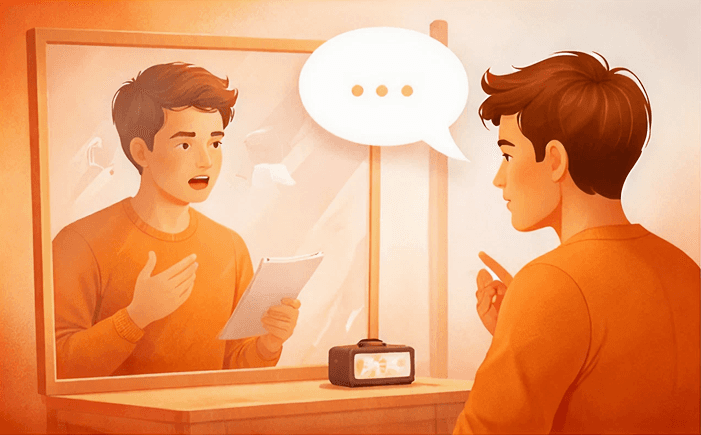
Most scripts only reveal their issues when spoken. That’s why writing and rehearsing should happen together, not as two separate steps.
As you go through your script out loud, you’ll naturally notice where phrasing feels awkward, where pacing breaks down, or where transitions are less clear than expected. Making adjustments at that stage is far more effective than trying to perfect everything in advance.
This is also where tools like Unscripted fit naturally into the process. Being able to edit your script while rehearsing and restart immediately makes it easier to iterate quickly. Instead of treating the script as something fixed, you gradually shape it into something that matches how you actually speak.
Let the teleprompter reveal issues in your script
A teleprompter is often seen as a delivery tool, but it can also act as feedback. The way you interact with it tends to highlight weaknesses in the script itself.
If you notice that you’re consistently rushing, the sentences may be too dense. If you lose your place easily, the structure might not be clear enough. If certain parts feel harder to deliver, they usually need to be simplified or rephrased.
Features like text highlighting or pacing control in Unscripted can make these patterns easier to spot. Over time, this helps you write scripts that are naturally easier to deliver, rather than relying on the tool to compensate.
Keep your natural voice
A subtle but important point is to avoid “writing like a speaker.” That often leads to something generic that sounds like a presentation, but not like you.
Keeping your natural phrasing—using simple words, contractions, and slightly uneven sentences—usually leads to a more authentic result. The goal isn’t to sound polished, but to sound clear and natural.
A simple check before you’re done
After rehearsing your script once or twice, a few quick checks can help identify what still needs work:
Did any sentence feel too long to say comfortably?
Did your pace change without intention?
Did you hesitate or lose your place at any point?
These are all signals that something in the script can be improved.
Final thought
A script doesn’t need to read perfectly. It needs to work when spoken.
When you write with delivery in mind—and adjust the script as you rehearse—you end up with something that feels natural to say and easy to follow. That usually makes a bigger difference than any performance technique applied afterward.
FAQs
Can I try Unscripted for free?
Will I get future updates?